Before you add “AI-powered” to the product roadmap, get specific about what it’s supposed to improve.
Tie the feature to a real business problem or user pain, then pick one or two success measures you can defend, like fewer support tickets, faster processing, higher conversion, or lower churn. The teams that move fastest usually write a one-page business case early.
It forces clarity, gets leadership buy-in, and prevents pet projects from quietly burning budget. From there, set basic data governance upfront so ownership, access control, and lifecycle management are clear before anything reaches production.
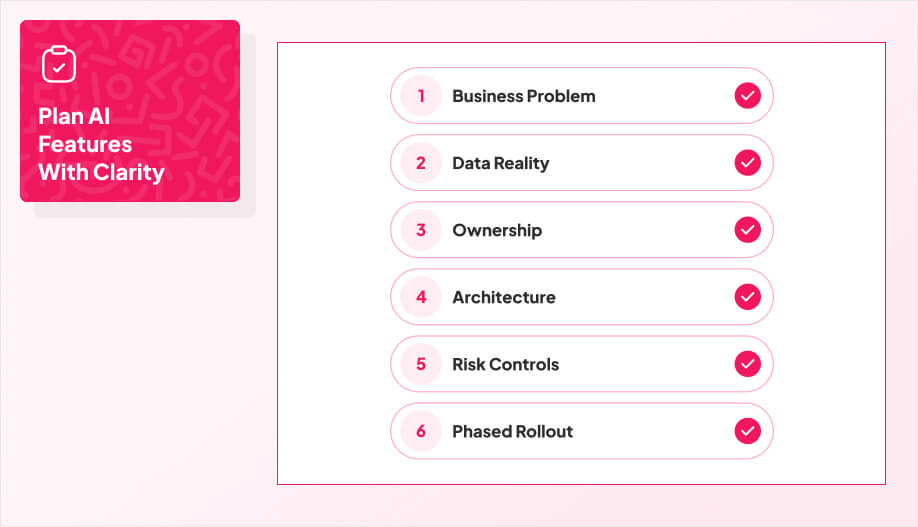
Before you start building, it helps to treat your first AI feature like a launch checklist, not an experiment.
The steps below follow the order most teams wish they had used the first time, starting with business clarity and data reality, then moving into ownership, architecture, risk controls, and rollout.
1. Get Honest About Your Data
Most first AI features stumble because the data is messy, missing, or inconsistent, and nobody wants to say it out loud. That’s not just a vibes problem.
In an IBM survey on generative AI adoption, 45% of executives cited concerns about data accuracy or bias, and 42% cited insufficient proprietary data as barriers, which tells you the bottleneck is often the data foundation, not the model.
The real-world implication is expensive and visible. Poor data quality doesn’t just make models “a bit worse.” It creates bad outputs that teams have to manually correct, drives escalations, and can push customer-facing workflows into failure modes you can’t easily explain.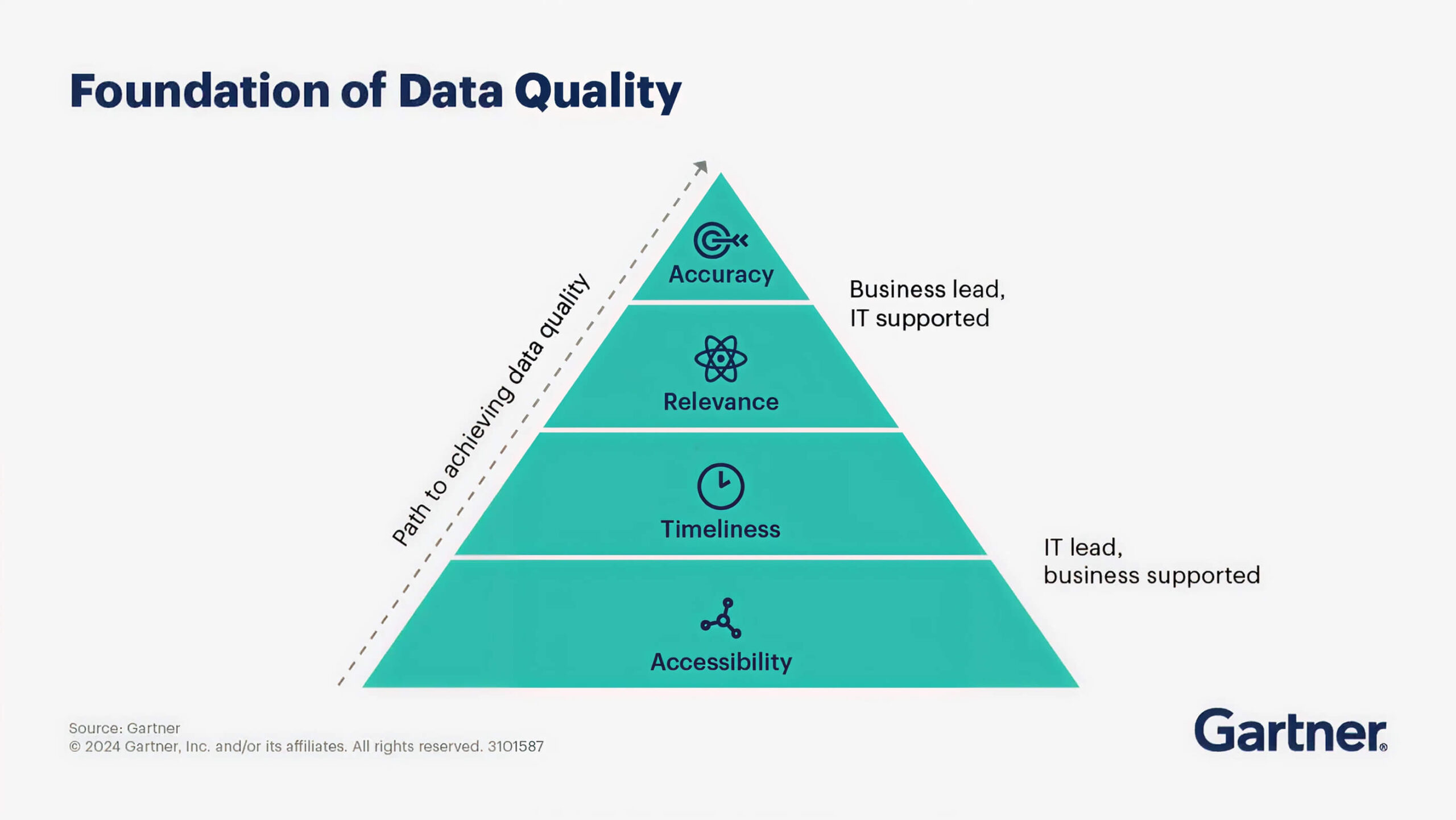 Gartner estimates poor data quality costs organizations $12.9M per year on average, and public examples show how brutal it can get, like Unity attributing a $110M revenue impact to bad data they ingested from a customer.
So check completeness, accuracy, consistency, timeliness, and relevance instead of assuming “we have plenty of data.” Add automated sanity checks for missing values and weird outliers, and map every source you’ll depend on for training and inference so you know where the brittle integrations are. Standardize your ETL so datasets land in a consistent format, assign owners to key domains, and schedule recurring audits so performance doesn’t quietly degrade.
If your first feature relies on private knowledge (docs, tickets, policies), that’s where retrieval approaches like RAG and vector search can help, but only after the data basics are stable.
2. Align Ownership and Workflow Early

Don’t throw this at “the AI person” and hope it works out.
First AI features need a small, cross-functional owner group that includes product, engineering, operations, security, and at least a couple of people who live inside the workflow the AI will touch. If the feature affects support, include support leads. If it affects pricing or approvals, include the people who currently sign off on those decisions.
Otherwise, you’ll build something that looks fine in a demo and falls apart the first week it meets reality.
Get explicit about ownership early and write it down.
Who owns requirements and success metrics?
Who owns data pipelines and data quality?
Who owns model or vendor selection and the budget?
Who owns UX decisions, especially disclosures and human handoffs?
Who owns compliance input and the final “ship” decision?
You also need a clear “when things go wrong” owner: who reviews bad outputs, who can override the system, and who handles incidents.
Set a meeting rhythm that matches your release cycle, keep decision authority clear, and define escalation paths before you need them. When expertise is missing, bring in builders who have shipped this before. First AI features slip when teams try to learn governance, data discipline, and rollout mechanics at the same time.
3. Design an Architecture That Can Reach Production
A prototype that works on a small dataset is not the same as something you can ship.
Production brings real constraints and this includes latency budgets, unpredictable traffic spikes, messy inputs, and downstream systems that can fail in ways your demo never saw.
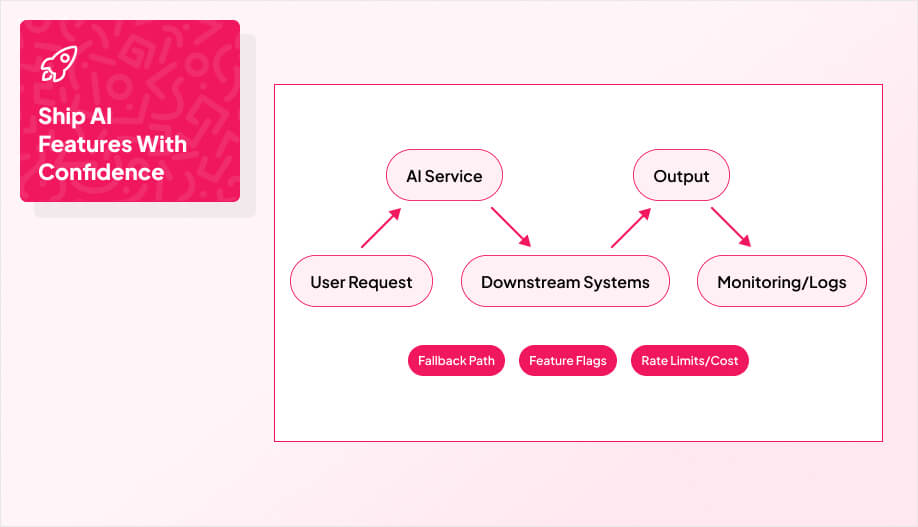
Before you pick a model, map the full path from user request to final output, including where data is pulled from, where the AI runs, and what happens if any dependency times out. The goal is a feature that behaves predictably under load, not one that only looks good in a controlled test.
Make room for observability from day one. You should be able to answer basic questions without guesswork. Build structured logging around the AI step, capture error states, and add monitoring for latency, cost per request, failure rates, and drift in output quality over time.
If you’re calling third-party model APIs, plan for rate limits, outages, and sudden cost surprises. If you’re hosting models yourself, plan for compute, scaling, security patching, and an on-call reality.
Your first AI feature also needs safe release mechanics. Use feature flags, staged rollouts, and a clean fallback path so the product still works if the AI is degraded or unavailable. If your AI sits inside a customer workflow, be explicit about what the system does when confidence is low. Then treat the AI layer like any other production service with disciplined CI/CD, automated tests, and evaluation checks so changes roll out predictably instead of relying on one-off hero deployments.
If you want help turning a promising prototype into something you can actually ship, a team of experienced mobile app developers can help you choose the right architecture, build the logging and monitoring foundation, and design a rollout that protects the user experience while the model learns.
4. Build for Security, Safety, and Compliance From the Start
Risk controls are not a “later” task.
If legal, compliance, and security only show up at the end, you end up redesigning the feature under deadline pressure.
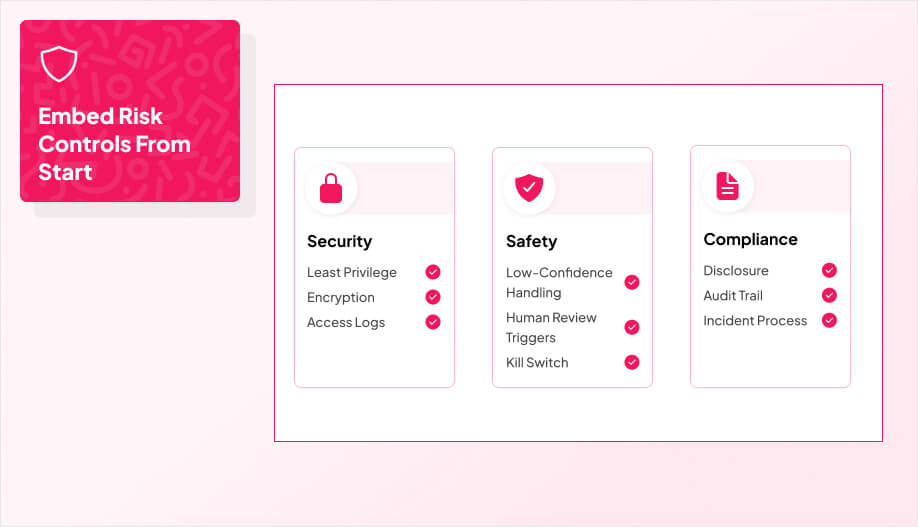
Bring them in early enough to shape the build, not just approve it. Start by classifying what data the feature will touch, what inputs are allowed, what must be blocked, and what you will retain or redact. Then lock down access controls using least privilege, encrypt sensitive inputs and outputs, and decide what gets logged so you can investigate issues without collecting unnecessary sensitive data.
AI features also introduce failure modes most teams do not plan for on their first attempt. You need to design around low-confidence outputs, hallucinations, biased results, and “confident wrong” answers that look believable. If the feature uses tools or automations, add agent-specific guardrails like strict permission scopes, approved action lists, step-up approvals for high-risk actions, and a clear kill switch.
You also want defenses for AI-native attacks and misuse, like prompt injection, data leakage through retrieval, unsafe requests, and unexpected tool calls. This isn’t theoretical. In early 2026, Varonis Threat Labs disclosed “Reprompt,” a prompt-injection style attack against Microsoft Copilot where a single malicious link could trick Copilot into exfiltrating sensitive user data by abusing how the system interpreted injected instructions.
The incident is a good reminder that once an AI feature can read files, summarize internal content, or follow links, prompt injection stops being a prank and starts looking like a real data-leak path.
Finally, keep audit trails and ownership clean. Define who can override the system, who reviews escalations, how incidents get communicated, and what “done” looks like for remediation. When teams build agent-style features that can take actions inside real workflows, this is usually where projects either become safe to ship or get stuck.
In our AI agent development work, we treat permissions, approvals, logging, and fallback behavior as product requirements so you can ship automation without losing control.
5. Plan the Rollout Like a Product, Not a Prototype

Ship in phases. Start with a pilot aimed at a high-impact use case, define clear milestones and go/no-go triggers, then expand deliberately.
This matters because plenty of AI efforts never make it past the “looks good in a demo” stage. A 2025 MIT study on enterprise GenAI found 95% of pilots had no measurable impact on profit and loss, largely because they weren’t integrated into real workflows in a way that changed outcomes.
Treat rollout like product delivery: instrument the feature so you can measure the outcome you promised, not just usage. Build monitoring for performance, drift, latency, cost per request, and user feedback so you learn fast without breaking trust. Institutionalize feedback loops instead of relying on ad hoc reactions, and plan for continuous improvement cycles.
Post-launch support matters here too, because guardrail tuning, incident response, and iteration are what turn a one-time AI feature into a capability your team can repeat.